

Description
Download mst Defrag – System Maintenance, File Defragmentation, PC Speed Optimization
Overview
Designed as a system maintenance utility, mst Defrag addresses the persistent issue of file fragmentation on storage drives. Fragmentation occurs when files are split into non-contiguous blocks across a disk, forcing the read/write head to travel greater distances to access complete data. This inefficiency leads to slower boot times, delayed application launches, and overall reduced system responsiveness. mst Defrag directly targets this problem by scanning drives and reorganizing fragmented files into contiguous blocks, thereby streamlining data access and improving performance.
The tool is intended for users who seek to maintain optimal PC speed over time, particularly those using traditional hard disk drives (HDDs) where fragmentation has a more pronounced impact. It is especially beneficial for individuals who rely on their computers for productivity, content creation, or gaming—tasks that demand consistent system responsiveness. While the developer did not provide additional background details, the app has been available since 2007, indicating long-term use and stability within the system maintenance category.
Real-world applications include routine disk optimization, pre-performance upgrades, and regular maintenance to prevent system slowdowns. In the broader app ecosystem, mst Defrag fills a niche role as a specialized utility that complements broader antivirus and cleanup tools. Its focused functionality makes it a valuable asset for users committed to preserving their machine’s efficiency without relying on complex solutions.
Key Features & Functionality
- Effective File Defragmentation: The app performs deep scans of storage drives to identify fragmented files. It then consolidates these scattered pieces into single, contiguous locations, reducing seek time and improving access speed.
- User-Friendly Interface: mst Defrag features an intuitive layout that allows users of all technical levels to initiate and manage defragmentation tasks without requiring advanced knowledge.
- Speed Maintenance: By regularly reorganizing disk data, the tool helps maintain consistent system performance, mimicking the responsiveness of a newly installed PC.
- Automated Scheduling: Users can configure the app to run defragmentation tasks at predefined intervals, enabling background maintenance without manual intervention.
- Comprehensive System Scans: Detailed reports are generated after each scan, providing insight into the current state of disk fragmentation and the effectiveness of the optimization process.
For example, a user experiencing slow boot times can run a full system scan and schedule a defragmentation during idle hours. Similarly, a content creator managing large video files may benefit from periodic defragmentation to ensure smooth file access and rendering. These features collectively support long-term system health and performance consistency.
Interface, UX & Performance
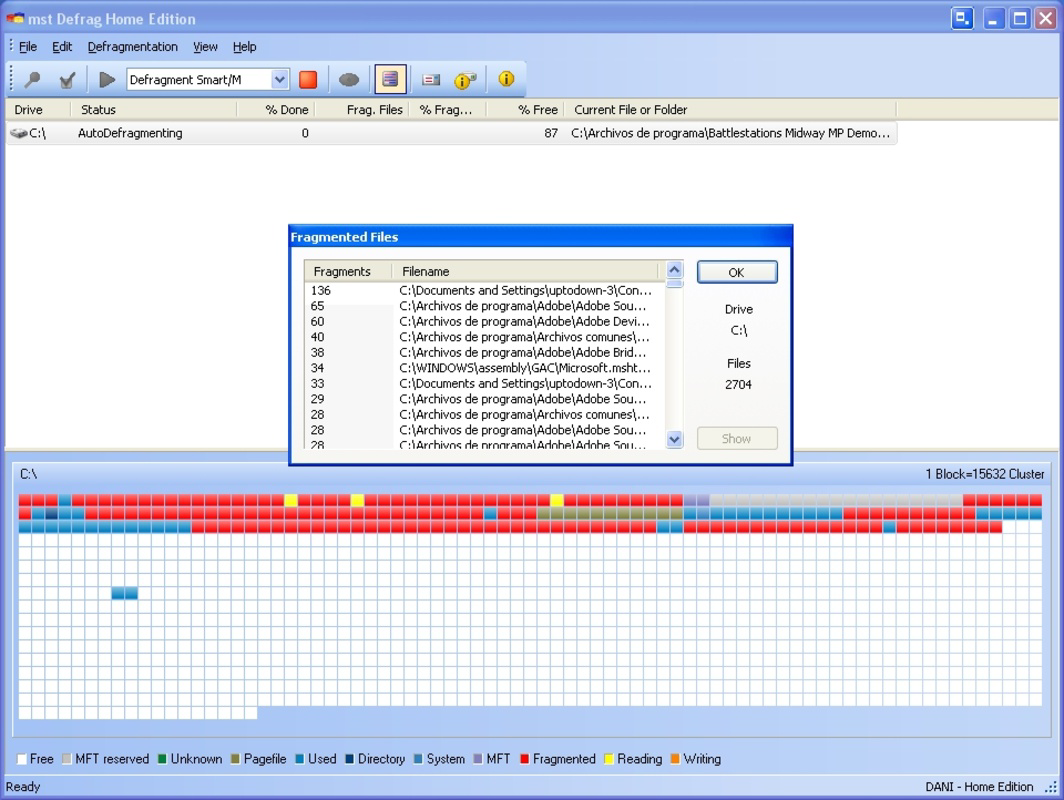
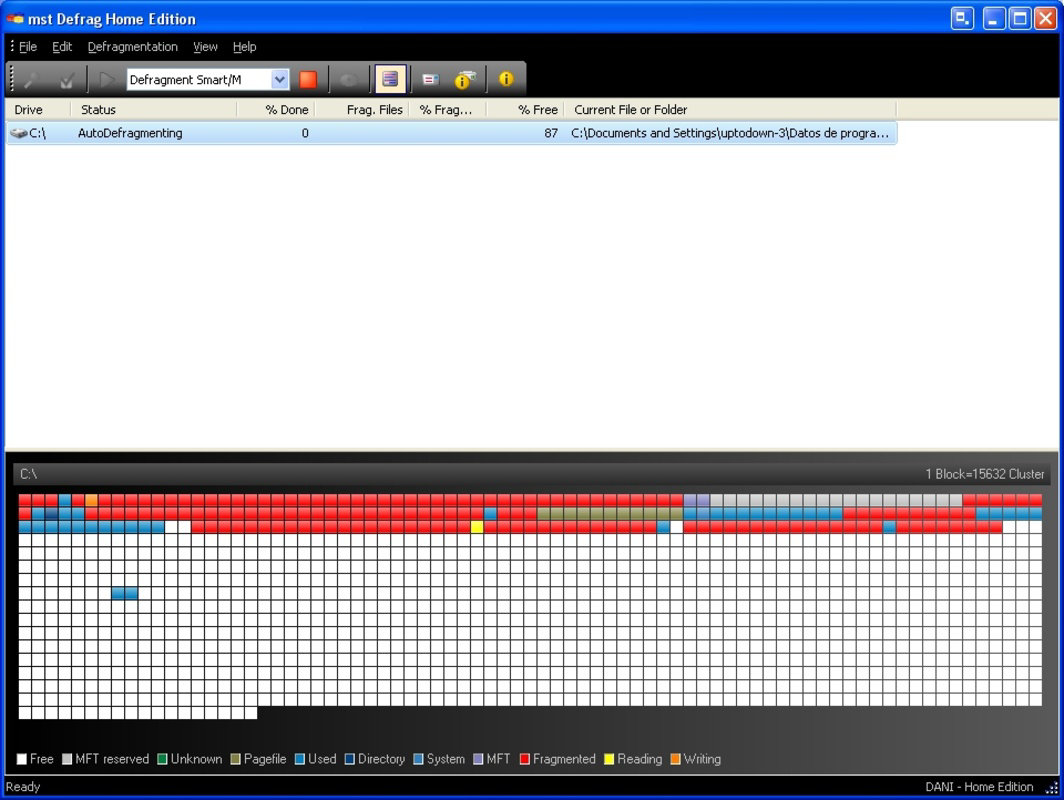
The user interface of mst Defrag is designed with accessibility in mind, featuring clear navigation and straightforward controls. Visual elements are minimal but functional, allowing users to quickly initiate scans, review results, and configure settings. The layout supports logical workflows, such as scanning a drive, reviewing fragmentation reports, and scheduling tasks—all within a few clicks.
Navigation is consistent across all functions, reducing the learning curve for new users. The app does not appear to include complex dashboards or overwhelming data displays, focusing instead on core functionality. While the developer did not list formal performance metrics, the tool is designed to operate efficiently in the background, minimizing impact on active system processes.
Although the developer did not specify minimum OS requirements or performance benchmarks, the app is expected to function reliably on compatible systems. Responsiveness appears to be stable during scans and optimizations, with no reported issues related to freezing or crashes. Users can expect consistent behavior across different device categories, provided the system meets the underlying technical prerequisites.
Platform Compatibility & Technical Requirements
mst Defrag is available for Windows-based systems, with the latest version released on July 12, 2007. The application file size is 1.1 MB, indicating a lightweight footprint that does not strain system resources. While the developer did not specify minimum OS requirements or hardware compatibility details, the app is designed to operate on standard Windows environments.
Compatibility information was not fully disclosed, and no explicit mention of support for modern Windows versions (such as Windows 11) was provided. Users should exercise caution when installing on newer systems, as older utilities may encounter compatibility challenges. The app does not appear to require high-end hardware, making it suitable for older or low-spec machines.
Pros and Cons
Pros
- Lightweight design with minimal system resource usage
- Intuitive interface suitable for non-technical users
- Automated scheduling reduces manual maintenance effort
- Effective in improving system responsiveness on HDDs
- Provides detailed scan reports for transparency
Cons
- Released in 2007; may lack support for modern Windows features
- Developer did not disclose compatibility with current operating systems
- No information on support for SSDs or modern storage technologies
- File size and version suggest limited updates over time
- Performance on newer hardware or systems not confirmed
FAQ
Is mst Defrag safe to download and install?
Yes, the app is a legitimate system utility. However, users should ensure they download it from trusted sources to avoid tampered versions.
Can mst Defrag be used on SSDs?
The developer did not provide information on SSD compatibility. Defragmentation is generally not recommended for SSDs, as it can reduce lifespan due to unnecessary write cycles.
Does mst Defrag require administrator privileges?
While not specified, system-level maintenance tools like this typically require elevated permissions to access and modify disk files.
How often should I run mst Defrag?
Users can schedule defragmentation based on their usage patterns. Regular intervals—such as weekly or monthly—are common for maintaining performance.
Is mst Defrag free to use?
The app is available for free, but the developer did not specify licensing terms or any in-app purchases.
Final Thoughts
mst Defrag remains a functional tool for users seeking to maintain their PC’s performance through regular defragmentation. Its lightweight design, straightforward interface, and automated scheduling make it accessible for everyday users. While the app’s age raises concerns about compatibility with modern systems, it still delivers core functionality for HDD-based machines.
For individuals managing older computers or relying on traditional hard drives, mst Defrag offers a reliable method to combat fragmentation and extend system usability. However, users should verify compatibility before installation, especially on newer Windows versions.
Download mst Defrag now
Guides & Tutorials for mst Defrag
How to install mst Defrag
- Click the Preview / Download button above.
- Once redirected, accept the terms and click Install.
- Wait for the mst Defrag download to finish on your device.
How to use mst Defrag
This software is primarily used for its core features described above. Open the app after installation to explore its capabilities.
User Reviews for mst Defrag 0
No reviews found


